Large rooms need more than a bigger screen. Viewing distance, projector brightness, aspect ratio, mounting position, and screen control all affect whether a home theater, classroom, or presentation setup looks polished.
This roundup compares 10 motorized models ranging from compact 92-inch screens to expansive 180-inch designs, including ceiling-mounted, floor-rising, tab-tensioned, and acoustically transparent options.
Best 10 Motorized Projection Screens for Large Rooms Picks for 2026
Maximum-Coverage Pick
Elite Screens Spectrum 150-Inch

- 150-inch 16:9 viewing area
- 1.1-gain MaxWhite 2 surface
- Remote, wired, and RJ45 control options
Best For: Large rooms with standard-throw projectors
Simple Large-Screen Value
DINAH 120-Inch Electric Screen

- 120-inch automatic drop-down design
- Remote-controlled operation
- Supports 4K, 3D, and HD projection
Best For: Straightforward movie, office, or classroom setups
Connected-Control Choice
Elite Screens Spectrum 125-Inch
- 125-inch 16:9 widescreen format
- 1.1-gain, 180-degree surface
- IR, RF, and 12-volt trigger control
Best For: Large rooms needing flexible screen automation
Versatile Widescreen Pick
Kayle 120-Inch Motorized Screen

- 120-inch 16:9 viewing format
- 1.2-gain black-backed surface
- RF remotes and three-way wall switch
Best For: Multipurpose home, office, classroom, or movie spaces
Premium Floor-Rising Pick
150-Inch Elite Screens Kestrel Tab-Tension
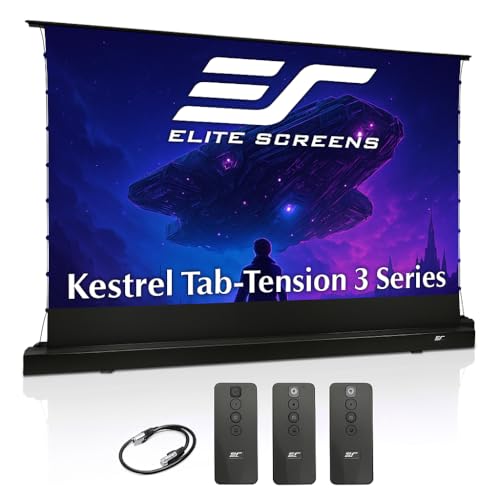
- 150-inch 16:9 CineWhite display
- Tab-tensioned, ripple-resistant surface
- Freestanding design with smart controls
Best For: Large rooms needing a high-end floor-rising screen
Flexible Value Option
VIVOHOME 100-Inch Motorized Screen

- 100-inch 16:9 matte-white display
- Wall or ceiling mounting options
- Remote control works up to 82 feet
Best For: Multipurpose rooms seeking flexible installation
Large Venue Choice
Elite Screens Spectrum 180-Inch 4:3
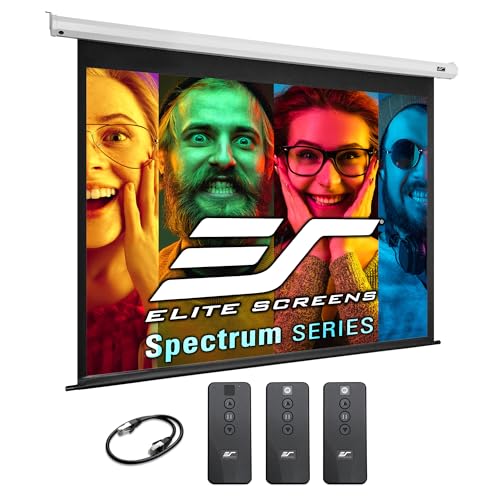
- 180-inch 4:3 presentation display
- Motorized wall or ceiling installation
- 4K/8K-ready MaxWhite 2 material
Best For: Classrooms and large venues using long-throw projectors
Best Value Remote-Controlled Pick
Kshioe 92-Inch Motorized Screen

- 92-inch 16:9 viewing area
- Wireless remote and steady motor
- Wall or ceiling installation
Best For: Flexible home, classroom, or office setups
Best Standard-Throw Upgrade
Elite Screens Spectrum 2 100-Inch
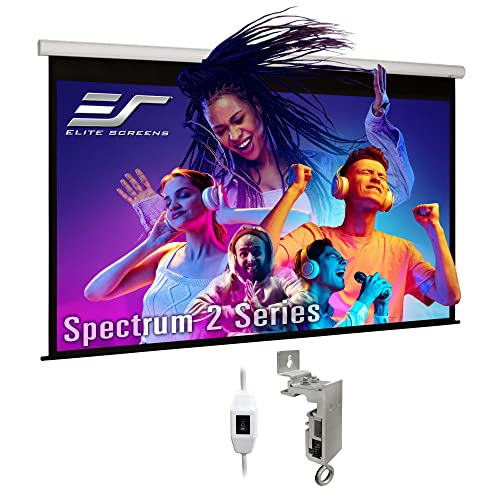
- 100-inch 16:9 screen
- 4K/8K, HDR, and Active 3D ready
- Quiet motor with 12-inch extra drop
Best For: Standard-throw home theaters and presentation rooms
Best for Integrated Theater Audio

- 100-inch acoustically transparent screen
- 4K, HDR, and Active 3D ready
- Includes IR remote and 12V trigger
Best For: Home theaters with speakers behind the screen
Maximum-Coverage Pick – Elite Screens Spectrum 150-Inch
For large rooms that need a truly expansive image, this 150-inch Elite Screens Spectrum is one of the largest options here. Its 16:9 MaxWhite 2 surface, 1.1 gain, and 180-degree viewing angle suit standard-throw 4K presentations and home theater setups, while the motorized drop-down design keeps operation convenient.
Best For: Large home theaters, offices, and conference rooms using a standard-throw projector.
Pros:
- Very large 150-inch diagonal viewing area
- 4K/8K Ultra HD-ready MaxWhite 2 material with 1.1 gain
- IR remote, wall controller, programmable drop, and RJ45 integration
- Fully assembled with wall- or ceiling-mount hardware
Cons:
- Not compatible with short-throw or ultra-short-throw projectors
- Its large overall housing requires substantial wall or ceiling space
The 150-inch format makes this a strong choice when room size and viewing distance justify maximum coverage. Its broad control options and low-emission certifications add practical value, but confirm projector compatibility and available mounting space first.
Simple Large-Screen Value – DINAH 120-Inch Electric Screen
The DINAH 120-inch electric screen offers a straightforward way to outfit large rooms with motorized projection screens for large rooms. Its automatic drop-down operation, ceiling-mount design, and matte surface make it suitable for movies, presentations, classrooms, and other spaces where the screen should retract when not in use.
Best For: Buyers seeking a simple 120-inch motorized screen for home, office, or classroom use.
Pros:
- Large 120-inch screen for immersive viewing
- Included remote enables convenient lowering and retraction
- Designed for 4K, 3D, and HD projection
- Space-saving drop-down format mounts to the ceiling
Cons:
- The listed 120-inch model uses a 4:3 aspect ratio
- Viewing angle is 160 degrees, narrower than some alternatives here
- Material and enclosure details are less specific in the supplied information
This is a practical choice when easy motorized operation matters more than advanced control integration. Check that the 4:3 format matches your projector content and that the listed 87-by-49-inch dimensions fit your installation plan.
Connected-Control Choice – Elite Screens Spectrum 125-Inch
This 125-inch Elite Screens Spectrum balances a large 16:9 image with flexible motorized controls, making it a capable option for motorized projection screens for large rooms. The MaxWhite 2 surface is rated for 4K and active 3D projection, and both IR and RF remotes are included for convenient operation.
Best For: Home theaters and presentation rooms that need programmable drop positioning and multiple control methods.
Pros:
- 125-inch 16:9 viewing format for widescreen content
- 1.1-gain, 180-degree MaxWhite 2 material
- IR and RF remotes plus a wired 12-volt trigger port
- Programmable drop position and selectable RF channels
Cons:
- Not compatible with short-throw or ultra-short-throw projectors
- Requires adequate clearance for its 122.2-inch-wide housing
Compared with a basic electric screen, this model stands out for its RF control, trigger support, and multi-screen interference options. It is a strong middle ground for large spaces, provided your projector is standard throw and the wide casing can be accommodated.
Versatile Widescreen Pick – Kayle 120-Inch Motorized Screen
The Kayle 120-inch screen combines a common 16:9 format with wireless RF control, making it a flexible option for motorized projection screens for large rooms. Its black-backed, 1.2-gain surface supports 4K and active 3D projection, while the metal casing is designed for wall or ceiling installation.
Best For: Home theaters, conference rooms, classrooms, and indoor or outdoor movie setups needing a 16:9 screen.
Pros:
- 120-inch 16:9 format suits most movie content
- 1.2-gain black-backed surface with a 180-degree viewing angle
- Quiet, energy-efficient synchronous motor
- Includes RF remotes and a detachable three-way wall switch
Cons:
- Shorter one-year warranty than the Elite Screens alternatives
- The supplied details list a 160-degree viewing angle in one specification, so published viewing-angle information is inconsistent
- Installation dimensions are substantial at 116.53 inches wide
With its widescreen ratio, higher stated gain, and RF controls, the Kayle is well suited to multipurpose viewing spaces. Verify the available wall or ceiling width and review the viewing-angle specification before installation.
Premium Floor-Rising Pick – 150-Inch Elite Screens Kestrel Tab-Tension
For shoppers comparing motorized projection screens for large rooms, the Elite Screens Kestrel stands out with a 150-inch 16:9 display and a freestanding floor-rising design. Its tab-tensioned CineWhite surface is built for a flat, ripple-free image and supports 4K/8K content, active 3D, and UST, short-throw, and standard projectors.
Best For: Large living rooms, conference spaces, and setups where wall or ceiling installation is impractical.
Pros:
- Large 150-inch 16:9 viewing area for an immersive presentation or theater experience.
- Tab-tensioning helps maintain a smooth, flat projection surface.
- Floor-rising design requires no wall or ceiling installation.
- Includes IR/RF remotes, a wall controller, and 12V trigger support.
Cons:
- The wide 144.5-inch overall housing requires substantial floor space.
- Best image performance is expected in controlled lighting environments.
- Its floor-mounted format may be less discreet than a ceiling-recessed screen.
The Kestrel is a versatile large-format choice when a flat image and flexible projector compatibility matter more than a compact installation. Measure carefully, since the screen is nearly 145 inches wide overall.
Flexible Value Option – VIVOHOME 100-Inch Motorized Screen
The VIVOHOME 100-inch model is a practical entry for motorized projection screens for large rooms, meeting areas, and multipurpose spaces. Its 16:9 matte-white surface supports 3D, 1080p, and 4K content, while the included remote operates from up to 82 feet away.
Best For: Home theaters, classrooms, meeting rooms, gaming spaces, and karaoke rooms that need flexible mounting.
Pros:
- 100-inch 16:9 display provides a substantial viewing area without the footprint of larger models.
- Supports wall or ceiling mounting in horizontal or vertical orientations.
- Remote control reaches up to 82 feet and can be wall-mounted.
- Three-layer waterproof PVC fabric is designed to resist creases and humidity changes.
Cons:
- The 96.9-inch-wide overall housing still needs careful installation planning.
- The remote requires a 23A 12V battery, which is not included.
- A temporary odor may be noticeable after unpacking.
With its flexible mounting options and long-range remote, the VIVOHOME is a straightforward choice for buyers who want motorized operation without moving up to an extra-large screen. Confirm both the 87-by-49.2-inch viewing area and overall dimensions before installation.
Large Venue Choice – Elite Screens Spectrum 180-Inch 4:3
For exceptionally large rooms, the Elite Screens Spectrum delivers a 180-inch 4:3 image suited to classrooms, conference rooms, houses of worship, and large presentations. Its motorized drop-down design, 1.1-gain MaxWhite 2 material, and 4K/8K compatibility make it a strong option when a broad, traditional presentation format is preferred.
Best For: Large indoor venues using standard long-throw projectors for presentations and group viewing.
Pros:
- 180-inch diagonal size provides a 108-by-144-inch viewing area.
- 1.1-gain, 180-degree MaxWhite 2 surface is designed for bright, uniform images.
- Motorized drop-down operation includes IR remote and detachable wall controller.
- RJ45 input supports integration with third-party control systems.
Cons:
- The 4:3 aspect ratio is less suited to modern widescreen movie content.
- It is not compatible with short-throw or ultra-short-throw projectors.
- The 155.4-inch-wide housing requires a large wall or ceiling installation area.
The Spectrum is best suited to venues that prioritize maximum presentation area and automated wall or ceiling mounting. Before buying, verify projector throw compatibility and confirm that the room can accommodate its substantial housing.
Best Value Remote-Controlled Pick – Kshioe 92-Inch Motorized Screen
For shoppers comparing motorized projection screens for large rooms, this 92-inch Kshioe model offers a practical balance of size, remote operation, and flexible installation. Its 16:9 format, 1.3 gain, and 160° viewing angle suit home theaters, classrooms, offices, and conference spaces.
Best For: Buyers who want a remotely operated screen for mixed home or commercial use.
Pros:
- 92-inch 16:9 format provides an 80-by-45-inch viewing area.
- Wireless remote allows operation from anywhere in the room.
- Supports wall or ceiling installation and is designed for steady motorized movement.
- 1.3 gain and a 160° viewing angle support bright, widely visible images.
Cons:
- Glossy finish may be less forgiving of ambient light than a matte surface.
- Its 92-inch size is smaller than the 100-inch alternatives in this roundup.
The Kshioe is a versatile choice when convenient remote control and straightforward mounting matter more than premium theater-specific features. Its one-year warranty adds basic coverage for residential or commercial use.
Best Standard-Throw Upgrade – Elite Screens Spectrum 2 100-Inch
Among motorized projection screens for large rooms, the Elite Screens Spectrum 2 stands out with a full 100-inch 16:9 image area and a 12-inch extra drop for flexible mounting. Its fiberglass-backed MaxWhite FG material supports 4K, 8K, HDR, and Active 3D content with a 180° viewing angle.
Best For: Standard-throw home theaters, offices, and presentation rooms needing a large, color-accurate screen.
Pros:
- 100-inch widescreen format delivers an 87.2-by-49-inch viewable area.
- 1.1-gain MaxWhite FG material is fiberglass-backed and fully black-backed to limit light penetration.
- Quiet tubular motor supports smooth, reliable operation.
- Includes wall/ceiling mounting brackets and a three-way wall switch.
Cons:
- Remote control kit is optional rather than included.
- Not compatible with ultra-short-throw or short-throw projectors.
This model is a strong fit for a conventional projector installation where a larger screen, quiet operation, and broad-format support are priorities. Buyers should confirm projector compatibility and plan to use the included wall switch unless they add the optional remote kit.
Best for Integrated Theater Audio – Elite Screens AcousticPro UHD
For large-room theaters where speakers sit behind the screen, the Elite Screens AcousticPro UHD combines a 100-inch 16:9 motorized display with an acoustically transparent, perforated weave. Its 1.0-gain material supports 4K, HDR, and Active 3D projection while preserving a 180° viewing angle.
Best For: Home theaters and offices that need sound-transparent screen placement with a standard-throw projector.
Pros:
- Acoustically transparent material allows compatible speakers to be positioned behind the screen.
- 100-inch format is ready for 4K Ultra HD, HDR, and Active 3D content.
- Includes an IR remote, three-way wall switch, and 12V trigger cable.
- Ships assembled with wall/ceiling mounting hardware and a built-in low-voltage IR receiver.
Cons:
- Not compatible with ultra-short-throw or short-throw projectors.
- Its 1.0 gain is lower than the 1.1- and 1.3-gain options in this selection.
The AcousticPro UHD is the most theater-focused option here, especially for installations that require speakers behind the projection surface. The included controls and 12V trigger add useful integration flexibility, provided the projector is a compatible standard-throw model.
How We Picked These Motorized Projection Screens for Large Rooms
We selected models across the most useful size, format, and installation categories for large spaces. The lineup includes 16:9 screens for movies and modern video, 4:3 options for presentations and legacy content, and both drop-down and floor-rising designs. We also considered remote control, screen construction, stated 4K/8K compatibility, wrinkle resistance, gain, and suitability for home theaters, classrooms, offices, and larger venues.
Because projector, room, and installation conditions vary, specifications should be confirmed before purchase. Pay particular attention to the viewing area rather than the advertised diagonal, since casing, borders, and drop length affect the final installation.
Quick Comparison
- Best for very large images: 150- to 180-inch models, provided the projector has enough brightness and the seating is far enough away.
- Best general-purpose format: 16:9, which suits most movies, streaming content, games, and current projectors.
- Best for presentations: 4:3 screens can make better use of older business and classroom content.
- Best for flexible placement: Floor-rising designs avoid permanent ceiling installation.
- Best for speakers behind the screen: An acoustically transparent screen can support a more theater-like speaker layout.
Key Buying Factors for Motorized Projection Screens for Large Rooms
Screen Size and Viewing Distance
A larger image is not automatically better. Measure the distance from the screen to the primary seating area, then check whether viewers can comfortably scan the full image without sitting too close. Leave enough wall or ceiling width for the housing and side borders.
Aspect Ratio and Image Format
Choose 16:9 for most home theater and entertainment use. Choose 4:3 when presentations, documents, or older content are priorities. A mismatched format can create unused areas or require frequent image resizing.
Projector Brightness, Gain, and Ambient Light
Large screens spread projected light over a bigger area, so the projector must provide adequate brightness. A screen’s gain can influence perceived brightness and viewing angle, while dark walls, controlled lighting, and blackout curtains often improve results more than a higher-spec screen alone.
Installation and Control
Confirm the housing dimensions, drop length, power requirements, mounting hardware, and clearance around doors, lights, and ceiling fixtures. Remote control is convenient, but wired wall controls or compatible RF operation may be preferable for classrooms and fixed installations.
Surface Quality and Sound Placement
Tab-tensioned surfaces generally help maintain a flatter image over time. If speakers must sit behind the screen, verify that the material is acoustically transparent and that the projector placement works with the screen’s surface characteristics.
Who Should Buy Which Motorized Projection Screens for Large Rooms?
Home theater owners should prioritize a 16:9 screen, a flat surface, suitable size for the seating distance, and reliable motor control. Classrooms and offices may benefit from 4:3 compatibility, straightforward remote operation, and a drop-down design that preserves wall space. Large venues should focus on brightness, housing strength, viewing distance, and installation support before choosing the largest diagonal. Renters or multipurpose-room users may prefer a floor-rising model that can be stored or relocated without ceiling work.
