Upgrading to multi-gigabit networking can remove bottlenecks between servers, access points, workstations, storage, and high-speed internet connections. The right switch depends on more than peak port speed.
This roundup compares ten professional multi-gigabit network switches across managed and unmanaged designs, PoE support, port capacity, uplink options, rack compatibility, and deployment flexibility.
Best 10 Professional Multi-Gigabit Network Switches Picks for 2026
Best PoE Powerhouse
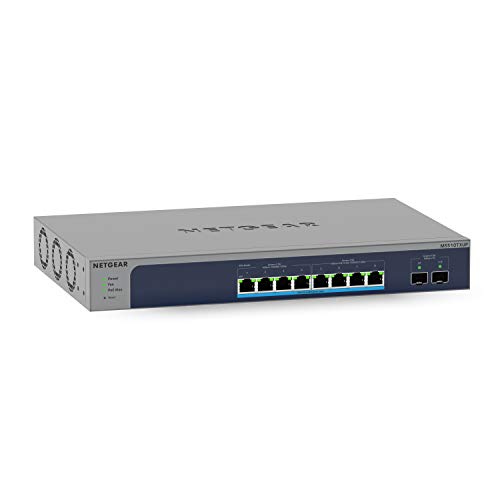
- Four 10G and four 2.5G multi-gigabit ports
- 295W budget across eight Ultra60 PoE++ ports
- Two 10G SFP+ ports plus smart management
Best For: Powering demanding network devices in small-business or workgroup deployments
Best High-Capacity Enterprise Platform
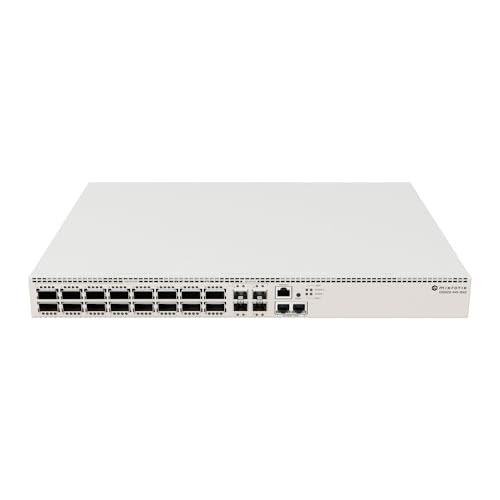
- 28 SFP28 ports for dense fiber connectivity
- 100Gb QSFP28 and 10Gb Ethernet support
- Quad-core ARM CPU with 4GB DDR4 RAM
Best For: Enterprise cores, server networks, and high-speed fiber aggregation
Best Office Multi-Gig Upgrade
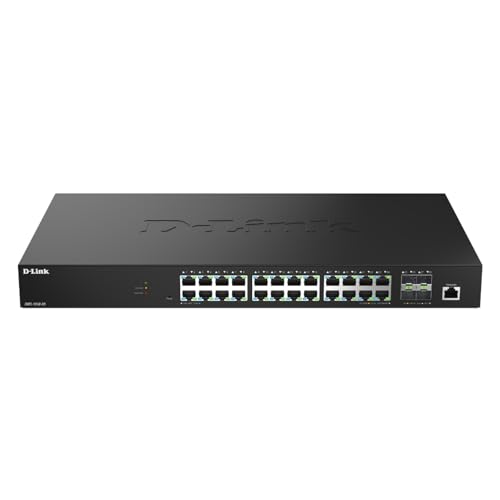
- 24 2.5GbE ports for access devices
- Four 10G SFP+ uplinks
- Management and security features for deployments
Best For: Office, Wi-Fi, camera, NAS, and workgroup network upgrades
Best Compact 10G Rack Switch

- Eight 10G Ethernet ports
- Four Ethernet/SFP+ combo ports
- Compact 1U metal rack design
Best For: Small racks and server rooms requiring concentrated 10G connectivity
Best Managed PoE Pick

- 24 Ethernet ports with eight 2.5G connections
- PoE through PoE++ with smart power control
- Layer 3 management, QoS, ACLs, and stacking
Best For: Business PoE deployments and managed network infrastructure
Best Simple 2.5G Upgrade

- Eight 2.5Gbps RJ45 ports
- Plug-and-play unmanaged operation
- Fanless metal housing for quiet use
Best For: NAS, gaming, and Wi-Fi 6/6E network upgrades
Best 10G Smart Option
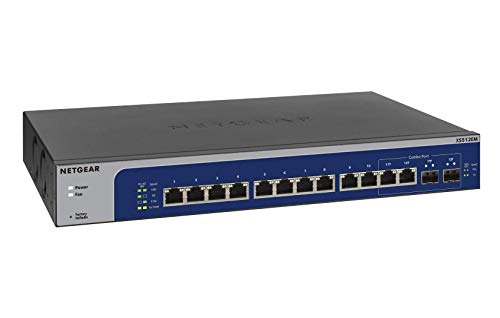
- Twelve ports support speeds up to 10G
- Two shared 1G/10G SFP+ ports
- Easy Smart management with desktop or rackmount use
Best For: 10G small-business and advanced home networks
Best Fanless 10G Desktop Switch

- Five 10G-capable RJ45 ports
- Fanless, plug-and-play design
- Up to 100 Gbps switching capacity
Best For: Quiet high-speed desktop or wall-mounted networks
Best Rackmount 10G Switch

- Four 10G Ethernet ports
- 1G/10G SFP+ uplink
- Desktop and rackmount support
Best For: Small offices needing flexible 10G installation options
Best PoE Powerhouse – NETGEAR MS510TXUP
For professional multi-gigabit network switches that combine fast copper connectivity with substantial device power, the NETGEAR MS510TXUP is a strong fit. It provides four 10Gbps and four 2.5Gbps multi-gigabit ports, plus two 10G SFP+ connections for fiber expansion.
Best For: Small businesses, workgroups, and installations powering demanding access points, cameras, or other PoE devices.
Pros:
- Eight Ultra60 PoE++ ports share a 295W power budget.
- Auto-negotiating 10G and 2.5G ports can work with existing Cat5e or Cat6 cabling.
- Smart management, SNMP support, and one year of NETGEAR Insight are included.
- Supports desktop or rack placement in a compact metal enclosure.
Cons:
- Only eight of the ten ports are multi-gigabit copper PoE ports; the remaining two are SFP+.
- The 295W power budget may be limiting for many simultaneous high-power devices.
The MS510TXUP stands out when PoE capacity and flexible management matter as much as throughput. It is especially practical for mixed-speed networks that need fiber uplinks without replacing existing copper cabling.
Best High-Capacity Enterprise Platform – MikroTik CRS520
The MikroTik CRS520 is designed for professional multi-gigabit network switches in high-capacity environments. Its port mix includes 2.5GbE, 25Gb SFP28, 100Gb QSFP28, and 10Gb Ethernet connectivity, supporting substantial server and backbone expansion.
Best For: Enterprise networks, data-heavy server environments, and users building high-speed fiber infrastructure.
Pros:
- Provides 28 SFP28 ports alongside 100Gb QSFP28 connectivity.
- Includes 10Gb Ethernet ports for additional high-speed connections.
- Uses a quad-core 2GHz ARM CPU with 4GB of DDR4 RAM.
- Supports Layer 2 and Layer 3 switching.
Cons:
- The extensive fiber-oriented port selection may be excessive for ordinary office networks.
- Its 6.25 kg metal chassis is less suited to lightweight desktop installations.
- The supplied notes do not identify included media or accessories.
With unusually high port speeds and considerable processing hardware, the CRS520 is aimed at network cores and demanding aggregation roles rather than basic access switching. Choose it when 25Gb and 100Gb expansion are central requirements.
Best Office Multi-Gig Upgrade – D-Link DMS-1250-28
D-Link 28-Port Multi-Gigabit Smart Managed Switch with 4 10G SFP+ & 24 2.5G Ports (DMS-1250-28)
Check Price On AmazonThe D-Link DMS-1250-28 is a practical choice among professional multi-gigabit network switches for expanding office and deployment networks. It offers 24 2.5GbE ports for access devices and four 10G SFP+ uplinks for servers, storage, or core-switch connections.
Best For: Offices, Wi-Fi 6/7 access-point deployments, surveillance systems, NAS connections, and workgroup networks.
Pros:
- Provides 24 2.5GbE ports without requiring a full network recable.
- Four 10G SFP+ uplinks support high-speed backhaul.
- Includes surge protection on all 2.5G ports.
- Offers Web UI, CLI, SNMP, Nuclias Connect, and D-View 8 management options.
Cons:
- It does not provide PoE power for connected devices.
- The 2.5GbE access ports are slower than the 10G uplinks.
The DMS-1250-28 balances dense 2.5GbE access with fast uplinks and broad management support. It is particularly appealing when an existing Cat5e or similar network needs more speed but not a complete cabling overhaul.
Best Compact 10G Rack Switch – MikroTik CRS312
MikroTik CRS312-4C+8XG-RM – Network Switch L3, 10G, Ethernet (100/1000/10000), 1U, White
Check Price On AmazonThe MikroTik CRS312-4C+8XG-RM is a compact option for professional multi-gigabit network switches, combining eight 10G Ethernet ports with four combo ports that support Ethernet or SFP+. Its 1U form factor suits rack-based installations where high-speed wired connectivity is needed.
Best For: Small server rooms, racks, and networks needing several 10G Ethernet connections in a compact metal chassis.
Pros:
- Offers eight 10G Ethernet ports.
- Four combo ports provide Ethernet and SFP+ interface flexibility.
- 1U rack-oriented design uses a metal enclosure.
- Supports Layer 3 networking according to the product title.
Cons:
- It does not include PoE functionality in the supplied specifications.
- The product notes list no warranty.
- Its 12-port capacity may be limited for larger access deployments.
The CRS312 is a focused 10G switch for compact racks and high-speed wired devices. Its combination of copper 10G and combo SFP+ ports gives network builders useful flexibility, provided PoE and a larger port count are not priorities.
Best Managed PoE Pick – Grandstream GWN7822P
Grandstream GWN7822P | 24-Port 2.5G Multi-Gigabit Ethernet Layer 3 Managed PoE Switch
Check Price On AmazonFor demanding business networks, the Grandstream GWN7822P is a professional multi-gigabit network switch with Layer 3 management, PoE support, and a mix of 1G and 2.5G ports. Its management, redundancy, security, and traffic-control features make it suited to structured deployments rather than simple plug-and-play expansion.
Best For: Businesses deploying PoE devices, managed access policies, and multi-switch networks.
Pros:
- Provides 16 1G ports, eight 2.5G ports, and four SFP+ ports.
- Supports dynamic PoE, PoE+, and PoE++ power control.
- Includes Layer 3 features, ACL filtering, QoS, link aggregation, and storm control.
- Offers multiple management options plus stacking and redundancy features.
Cons:
- Its managed Layer 3 feature set may be more than a basic home network needs.
- At 5.6 kg, it is substantially heavier than a compact desktop switch.
The GWN7822P is the strongest option here for organizations that need PoE capacity, granular control, and resilience. Choose it when centralized management and network reliability matter more than minimalist setup.
Best Simple 2.5G Upgrade – UGREEN 8-Port 2.5G Switch
The UGREEN 8-Port 2.5G Switch offers an easy entry point into professional multi-gigabit network switches for homes and small offices. All eight RJ45 ports support up to 2.5Gbps, while automatic speed detection and plug-and-play operation keep installation straightforward.
Best For: NAS users, gaming setups, and Wi-Fi 6 or 6E networks needing a quiet 2.5G expansion.
Pros:
- Equips all eight ports with 2.5Gbps Ethernet.
- Automatically adapts to 100M, 1G, and 2.5G connections.
- Fanless metal design supports quiet desktop or wall-mounted use.
- Requires no software or configuration.
Cons:
- It is unmanaged, so it lacks advanced traffic, security, and VLAN controls.
- It has no SFP+ ports or built-in PoE support.
This is the practical choice when the goal is simply to add several 2.5G wired connections without administration overhead. Its compact, silent design fits home offices and performance-oriented personal networks especially well.
Best 10G Smart Option – NETGEAR XS512EM 10G Switch
The NETGEAR XS512EM is a professional multi-gigabit network switch for users who need 10G connectivity with easier administration than a fully managed enterprise switch. It combines twelve multi-gigabit Ethernet ports with two shared SFP+ ports and supports either desktop or rackmount placement.
Best For: Small businesses and advanced users connecting 10G workstations, servers, or high-speed storage.
Pros:
- Provides twelve ports supporting 1G, 2.5G, 5G, and 10G speeds.
- Includes two 1G/10G SFP+ ports for compatible uplinks.
- Easy Smart management enables basic configuration, security, and monitoring.
- Supports desktop or rackmount installation and includes mounting hardware.
Cons:
- The two SFP+ ports are shared rather than fully independent.
- It is intended for use in the U.S. and Canada only.
- Its smart-managed feature set is less extensive than a full enterprise-managed platform.
The XS512EM is a balanced fit for multi-gigabit offices that want 10G capacity without the complexity of a high-end managed chassis. Its flexible mounting and broad port-speed support also make it useful for mixed-speed networks.
Best Fanless 10G Desktop Switch – TP-Link TL-SX105
For buyers comparing professional multi-gigabit network switches, the TP-Link TL-SX105 is a straightforward five-port option built for high-speed wired connections. Its five RJ45 ports support 100Mb, 1G, 2.5G, 5G, and 10G links, with up to 100 Gbps of switching capacity and no configuration required.
Best For: Quiet desktop or wall-mounted networks connecting 10G NAS devices, servers, gaming PCs, Wi-Fi access points, or other multi-gigabit equipment.
Pros:
- Five 10G-capable RJ45 ports with automatic five-speed negotiation.
- Fanless design supports quiet operation.
- Plug-and-play setup with a durable metal casing.
- Desktop and wall-mounting options provide flexible placement.
Cons:
- Unmanaged design does not provide software-based network configuration.
- Only five ports are available.
- It has no SFP+ port for fiber or compatible direct-attach connections.
The TL-SX105 is a practical choice when you want several fast copper connections without adding management complexity. Its fanless construction and broad auto-negotiation support make it especially suitable for quiet home offices and small workspaces.
Best Compact 2.5G Switch With SFP+ – Real HD 5-Port 2.5G Switch
This Real HD model is one of the more flexible professional multi-gigabit network switches for compact setups. It combines five 2.5G RJ45 ports with a 10G SFP+ port, allowing compatible wired devices and an SFP+ uplink to share a small, fanless metal chassis.
Best For: Small networks linking 2.5G computers, Wi-Fi 6 equipment, NAS devices, gaming systems, and a compatible 10G SFP+ connection.
Pros:
- Provides five 2.5G RJ45 ports plus one 10G SFP+ port.
- Fanless metal housing is designed for quiet operation and heat dissipation.
- Plug-and-play operation requires no software installation or configuration.
- Includes a stated 6KV lightning-protection design and a -20 to 50°C operating range.
Cons:
- Connected devices, cables, and network cards must support 2.5G to achieve those speeds.
- SFP and DAC compatibility should be checked before purchase.
- Unmanaged operation offers no advanced configuration features.
With its mix of copper multi-gigabit ports and a 10G SFP+ connection, this switch is well suited to incremental network upgrades. Verify cable quality and device compatibility first, since the slowest component determines link performance.
Best Rackmount 10G Switch – NETGEAR XS505M
The NETGEAR XS505M is a practical pick among professional multi-gigabit network switches when mounting flexibility and long-term support matter. It offers four 10G Ethernet ports and a 1G/10G SFP+ port, with plug-and-play operation for desktop or rackmount installations.
Best For: Home offices and small businesses that need multiple 10G connections, an SFP+ uplink, and included desktop or rackmount hardware.
Pros:
- Four 10G Ethernet ports plus a flexible 1G/10G SFP+ port.
- Supports both desktop and rackmount placement.
- Plug-and-play setup requires no software or configuration.
- Includes ProSAFE lifetime protection with lifetime hardware coverage and next-business-day replacement.
Cons:
- It is an unmanaged switch without advanced network controls.
- The supplied details list four Ethernet ports, fewer than some larger switches.
- Its 10G-focused design may be more than needed for basic gigabit networks.
The XS505M stands out for combining 10G copper connectivity, an SFP+ option, and rackmount support in a compact five-port platform. It is a strong fit for users who want a simple installation backed by NETGEAR’s stated lifetime protection.
How We Picked the Best Professional Multi-Gigabit Network Switches
We focused on practical network capacity rather than headline speed alone. The selection includes compact unmanaged switches for straightforward upgrades, smart managed models for VLANs and monitoring, and higher-capacity Layer 3 platforms for demanding business, studio, storage, and infrastructure deployments.
We compared port speeds, total port counts, 10GbE and faster uplinks, PoE availability, management capabilities, form factors, and likely installation environments. Because these products serve different roles, the best choice is the one that matches your devices and growth plans—not necessarily the most expensive or fastest model.
Quick Comparison
- Simple 10GbE expansion: Choose a compact unmanaged switch when you need plug-and-play connectivity with minimal configuration.
- Mixed-speed networks: Look for switches combining 2.5GbE ports with 10GbE or faster uplinks.
- Wireless and security deployments: A PoE model can power compatible access points, cameras, phones, and other devices over Ethernet.
- Business segmentation: Smart or fully managed switches are better for VLANs, traffic monitoring, redundancy, and access control.
- High-density aggregation: Larger switches with SFP+ or SFP28 ports suit server rooms, storage networks, and core or distribution layers.
Key Buying Factors for Professional Multi-Gigabit Network Switches
Port Speed and Layout
Confirm whether your devices need 2.5GbE, 5GbE, 10GbE, or higher. Also check the mix of copper RJ45 ports and fiber-oriented SFP+ or SFP28 slots. A switch with fast uplinks can prevent congestion when several lower-speed devices share traffic.
Management Features
Unmanaged models are easiest to install, but managed switches provide VLANs, link aggregation, quality-of-service controls, diagnostics, and traffic visibility. Smart managed products offer a useful middle ground for smaller offices and advanced home labs.
PoE Budget
For PoE equipment, check both supported standards and the total wattage budget. A switch may have enough PoE ports but still lack the power required when several access points or cameras operate simultaneously.
Physical Installation
Review rack-mount hardware, desktop placement, cooling, noise, power requirements, and depth before buying. Fanless compact models can be preferable in offices, while rack-ready designs suit wiring closets and server rooms.
Who Should Buy Which Professional Multi-Gigabit Network Switches?
Choose an unmanaged 2.5GbE or 10GbE model for a fast, uncomplicated connection between computers, NAS devices, workstations, and a router. Select a smart managed switch if you need VLANs, monitoring, or controlled traffic priorities without enterprise-level complexity.
Businesses with powered access points, surveillance cameras, or VoIP devices should prioritize PoE and verify the available power budget. For server rooms, virtualization hosts, high-speed storage, or aggregation, prioritize port density, SFP+ or SFP28 uplinks, Layer 3 capabilities, and expansion headroom. Finally, match transceivers and cabling to the chosen ports so the rest of the network can actually deliver the advertised speeds.
