Smart home hubs for voice control can simplify a messy mix of apps, devices, and protocols into one easier setup. The right hub can also improve automations, add local control, and make voice commands more reliable.
In this roundup, we focus on hubs that work well for hands-free control, broad device compatibility, and practical home use in 2026.
Best 10 Smart Home Hubs for Voice Control Picks for 2026
Wall-Mounted Alexa Control Center
Echo Hub, 8" Smart Home Dashboard

- 8-inch customizable smart home dashboard
- Voice control plus tap-to-manage interface
- Works with Alexa-compatible devices and security
Best For: Families wanting a wall-mounted Alexa control panel
Home Assistant Voice Starter
Third Reality Voice/Music Assistant Dev Edition

- Preloaded for Home Assistant voice and music
- Dual mics and built-in 3W speaker
- Linux-based with dev and debugging access
Best For: Home Assistant users needing a voice and music endpoint
Refurbished Alexa Control Panel
Like-New Echo Hub, 8" Smart Home Hub
- Certified refurbished and tested like new
- Alexa voice plus touchscreen control panel
- Works with thousands of Alexa-compatible devices
Best For: Shoppers wanting a lower-cost refurbished Alexa hub
Open-Source Home Automation Core
Home Assistant Green Smart Hub

- Preinstalled Home Assistant for quick setup
- Local, fanless hub with silent operation
- USB expansion for Z-Wave, Zigbee, Thread
Best For: Home Assistant users wanting a simple local automation hub
Universal IR & IoT Control Hub
Matter-Certified Tapo H110 for Legacy Devices

- Controls 8,000+ brands across 18 appliance types
- Works with Alexa, Google Assistant, and Siri via Matter
- Includes a 93 dB alarm and Tapo sensor alerts
Best For: Households that want one hub for legacy appliances, voice control, and sensor alerts
SmartThings-Compatible Hub
Aeotec Smart Home Hub for Multi-Protocol Control

- Supports Matter, Z-Wave, Zigbee, Wi-Fi, Alexa, and Google Home
- Many automations run locally for faster, more reliable operation
- Set up via Wi-Fi or Ethernet in the SmartThings app
Best For: Users who want a multi-protocol SmartThings hub for automations and voice assistants
Compact IR Voice Hub
SwitchBot Hub Mini for TV and AC Control
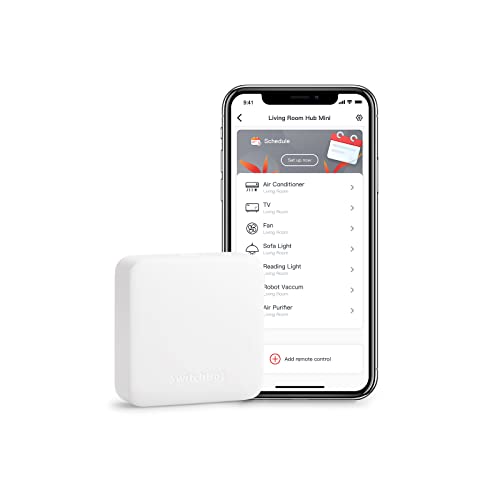
- Smart learning can copy a remote in about 5 seconds
- Works with Alexa, Google Assistant, Siri, and IFTTT
- USB-powered, portable, and easy to set up
Best For: People who want a simple, portable hub for basic IR appliance control and voice commands
Multi-Protocol Gateway
HomeHub Smart Gateway for Voice Control

- Brings Bluetooth and Zigbee devices into one system
- Works with Alexa, Google Assistant, and Siri
- Adds remote control and cloud schedules for supported devices
Best For: Unifying mixed-device smart homes with voice and remote control
Shade Control Hub
Yoolax Bluetooth Hub for Alexa

- Supports up to 16 smart devices
- Works with Alexa and Google Home voice control
- Built for Bluetooth shade and blind setups
Best For: Small shade-focused setups using Yoolax-compatible devices
Dual-Protocol Bridge
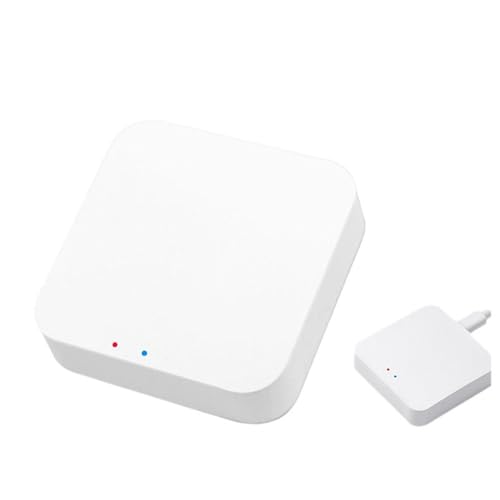
- Supports Zigbee, Bluetooth Mesh, and Wi-Fi control
- Works with Alexa Echo and Google Assistant
- Manages up to 128 smart devices
Best For: Larger homes needing broad device compatibility and automation
Wall-Mounted Alexa Control Center – Echo Hub, 8" Smart Home Dashboard
If you want smart home hubs for voice control that also work as a visual command center, Echo Hub is built for exactly that job. Its 8-inch dashboard lets you tap into lights, cameras, routines, music, and security tools, while Alexa voice commands add hands-free control across thousands of compatible devices.
Best For: Families and Alexa users who want a wall-mountable control panel for managing lights, cameras, routines, and home security.
Pros:
- Customizable dashboard makes it easy to group and resize controls.
- Works with WiFi, Bluetooth, Zigbee, Matter, Sidewalk, and Thread devices.
- Supports routines, modes, camera viewing, and smart security control.
- Can be wall mounted or used with a tabletop stand.
Cons:
- Power-over-Ethernet adapter and stand are sold separately.
- Some Ring features require Alexa+ and a compatible Ring subscription.
Echo Hub stands out if you want a dedicated smart home hub that combines voice control with a clean touchscreen interface. It is especially useful in shared spaces where multiple people need fast access to everyday automations and security actions.
Home Assistant Voice Starter – Third Reality Voice/Music Assistant Dev Edition
Among smart home hubs for voice control, this Third Reality device is aimed at Home Assistant users who want a compact voice and music endpoint. It comes preloaded with Home Assistant Voice Assistant and Music Assistant, so it is designed to fit into local automation and playback workflows rather than act like a general-purpose smart display.
Best For: Home Assistant users who want a compact open-source voice input and music playback device.
Pros:
- Preloaded with Home Assistant Voice Assistant and Music Assistant.
- Dual digital microphones support wake word or button-activated capture.
- Built-in 3W speaker handles TTS playback and music streaming.
- Linux-based design supports development, flashing, and live logs.
Cons:
- 2.4GHz Wi‑Fi only.
- More specialized than mainstream smart home hubs.
This is a niche pick for users already invested in Home Assistant and open-source control. If you want a voice terminal that doubles as a development-friendly audio endpoint, it offers a focused set of features without the extra consumer-home-hub clutter.
Refurbished Alexa Control Panel – Like-New Echo Hub, 8" Smart Home Hub
If you want smart home hubs for voice control but prefer a lower-cost option, this like-new Echo Hub delivers the same basic Alexa-enabled control panel experience in refurbished form. You can ask Alexa or tap the screen to manage lights, smart plugs, camera feeds, routines, and security tools from a single dashboard.
Best For: Buyers who want a refurbished Alexa control panel for managing connected devices and home security.
Pros:
- Refurbished, tested, and certified to look and work like new.
- Customizable dashboard for devices, camera views, and routines.
- Supports thousands of Alexa-compatible devices, including Zigbee, Matter, Thread, and more.
- Can arm and disarm compatible security systems from the panel.
Cons:
- Ships in generic Amazon-branded packaging.
- Music playback requires connecting your preferred speaker.
For shoppers comfortable with certified refurbished gear, this Echo Hub keeps the same core value proposition as the new model: centralized smart home control with voice and touch. It is a practical way to add a dedicated Alexa hub without paying for a brand-new unit.
Open-Source Home Automation Core – Home Assistant Green Smart Hub
Home Assistant Green | Smart Home hub with Advanced Automation | Official Home Assistant Hardware
Check Price On AmazonFor buyers comparing smart home hubs for voice control, Home Assistant Green is less about a built-in assistant and more about running the automation brain of the house. It arrives with Home Assistant installed, so you can plug it in and start centralizing devices, routines, and data on your own local hub.
Best For: Home Assistant users who want a simple, official hub for local automation control and future expansion.
Pros:
- Home Assistant is preinstalled for quick setup.
- Small, fanless, and silent design fits easily in the home.
- Local data storage keeps your home information on the device.
- USB expandability supports Z-Wave, Zigbee, and Thread add-ons.
Cons:
- No built-in voice assistant is listed in the supplied specs.
- Uses Ethernet for the core setup rather than built-in Wi‑Fi.
Home Assistant Green is a strong choice if your priority is dependable automation and local control over a polished voice-first interface. It is best for users who want a straightforward hub they can expand as their smart home grows.
Universal IR & IoT Control Hub – Matter-Certified Tapo H110 for Legacy Devices
If you’re comparing smart home hubs for voice control and still have a mix of TVs, ACs, fans, and other older appliances, this Tapo hub is built to consolidate them into one system. It combines IR control with IoT support, Matter compatibility, and app-based remote access, so you can manage both legacy and connected devices from the same place.
Best For: Households that want one hub to control IR appliances, add voice commands, and tie in sensor alerts.
Pros:
- Controls 8,000+ brands across 18 appliance types, including TVs, air conditioners, fans, and more
- Works with Alexa, Google Assistant, and Siri through Matter for hands-free control
- Built-in 93 dB alarm can pair with Tapo sensors for real-time alerts
- Tapo app supports remote access, automations, and location-based control
Cons:
- IR control depends on line-of-sight range for many appliances
- Best suited to users already comfortable with the Tapo app ecosystem
This is a practical choice if you want voice control plus broad IR compatibility in one hub, especially for bridging older appliances into a smarter routine-based setup.
SmartThings-Compatible Hub – Aeotec Smart Home Hub for Multi-Protocol Control
For shoppers focused on smart home hubs for voice control, this Aeotec hub stands out as a flexible SmartThings-based option with Matter, Zigbee, Z-Wave, and Wi-Fi support. It is designed to bring together compatible devices from multiple brands, while letting you manage automations in the SmartThings app and use popular voice assistants.
Best For: Users who want a multi-protocol hub for SmartThings automations and broad ecosystem support.
Pros:
- Supports Matter, SmartThings, Z-Wave, Zigbee, Wi-Fi, Google Home, and Alexa
- Many automations can run locally for improved speed and reliability
- Easy setup with either Wi-Fi or Ethernet
- Works with the SmartThings app on Android, iOS, and iPadOS
Cons:
- Designed for use in North America
- Z-Wave Plus support applies to the V3 model only
This is a strong pick if you want one hub to coordinate a wider mix of smart devices and build voice-friendly routines around SmartThings without locking yourself into a single wireless standard.
Compact IR Voice Hub – SwitchBot Hub Mini for TV and AC Control
If you want a simple entry point into smart home hubs for voice control, the SwitchBot Hub Mini is a compact IR blaster that can bring TVs, air conditioners, and other infrared appliances into the SwitchBot app. It supports 2.4 GHz Wi-Fi, smart learning, and voice assistants, making it a practical bridge between everyday remotes and app-based control.
Best For: People who want an easy, portable hub for basic IR appliance control and voice commands.
Pros:
- Smart learning mode can mimic an existing remote in about 5 seconds
- Works with Alexa, Google Assistant, Siri, and IFTTT
- USB-powered and portable for flexible placement
- Lets you control IR appliances like TVs and air conditioners in one app
Cons:
- Does not support 5 GHz Wi-Fi
- IR performance can be affected by walls, metal objects, or poor line of sight
This is a good low-friction choice if you mainly want voice control for a few infrared devices and prefer a small hub that is easy to set up and move around.
Multi-Protocol Gateway – HomeHub Smart Gateway for Voice Control
If you want smart home hubs for voice control that can pull Bluetooth and Zigbee devices into one system, this HomeHub Smart Gateway is built for that role. It also adds remote app control, cloud services for supported devices, and automation features that expand beyond local device limits.
Best For: Homes that need one hub to unify Bluetooth and Zigbee devices with Alexa, Google Assistant, and Siri voice control.
Pros:
- Combines Bluetooth and Zigbee devices through a single gateway
- Supports voice control with Alexa, Google Assistant, and Siri
- Enables remote control via the Internet for supported devices
- Unlocks cloud schedules beyond local device limits
Cons:
- Remote control depends on supported devices
- Cloud features are tied to compatible hardware
This hub makes sense if you want broader control from one app and voice assistants rather than managing devices separately. It is especially useful for users who want to upgrade compatible Fingerbot setups and add cloud-based automation options.
Shade Control Hub – Yoolax Bluetooth Hub for Alexa
For smart home hubs for voice control centered on shades and compatible Bluetooth devices, the Yoolax Bluetooth Smart Hub is a focused option. It connects through Bluetooth, WiFi, or cables, supports up to 16 devices, and lets you use Alexa or Google Home for hands-free control.
Best For: Yoolax shade users and small setups that want voice control plus app-based control for compatible Bluetooth devices.
Pros:
- Connects devices through Bluetooth, WiFi, or cables
- Supports up to 16 smart devices
- Compatible with Alexa and Google Home for voice control
- Bluetooth coverage is rated for 236 inches
Cons:
- Best suited to Yoolax-compatible blinds and devices
- Coverage may require one hub per floor in multi-level homes
This is a practical pick if your priority is smart shade control with simple voice commands and app settings. Its limited device count makes it better for smaller home or office installations than for whole-house ecosystems.
Dual-Protocol Bridge – Zigbee 3.0 Bluetooth Mesh Hub
This model is a strong fit if you want smart home hubs for voice control that can bridge several device types at once. It supports Zigbee, Bluetooth Mesh, and Wi-Fi control together, and it works with Alexa Echo and Google Assistant through the Smart Life App.
Best For: Larger smart home setups that need one gateway for Zigbee, Bluetooth Mesh, and Wi-Fi devices.
Pros:
- Supports Zigbee, Bluetooth Mesh, and Wi-Fi control
- Compatible with Alexa Echo and Google Assistant
- Can manage up to 128 smart devices
- Supports device grouping, resets, and scene linkage
Cons:
- Setup still depends on the Smart Life App
- Best value comes from using multiple compatible devices
For buyers building a more complete connected-home system, this hub offers broad compatibility and higher device capacity than many basic bridges. The scene and linkage features make it especially useful if you want voice control to trigger coordinated automations across the home.
How We Picked the Best Smart Home Hubs for Voice Control
We prioritized Smart Home Hubs for Voice Control that offer broad compatibility, strong automation features, and clear support for major ecosystems such as Alexa, Google Home, SmartThings, Zigbee, Z-Wave, Matter, Bluetooth, and IR. We also favored hubs that make everyday control simpler, whether that means a wall-style dashboard, a universal remote function, or a flexible bridge for mixed-device homes.
Quick Comparison
For a simpler voice-first home, display-style hubs are best for quick taps and room control. For advanced automation, Home Assistant-based hubs stand out. If your home includes older remotes or appliance control, IR hubs are the most practical choice. For larger ecosystems, multi-protocol bridges are often the safest long-term buy.
Key Buying Factors for Smart Home Hubs for Voice Control
Voice Platform Support
Make sure the hub works with your preferred assistant. Some are built for Alexa, while others support Google Home, SmartThings, or both. If you want flexibility, choose a hub with broad ecosystem compatibility rather than a single-assistant lock-in.
Device Protocols
Check whether you need Zigbee, Z-Wave, Matter, Bluetooth, Wi-Fi, or IR. The best hub is the one that matches the devices you already own, plus a few you may add later.
Automation Depth
If you want scenes, routines, and conditional triggers, look for advanced automation support. Homes with many sensors, switches, and routines usually benefit from a stronger automation platform.
Control Style
Some users want a dedicated touchscreen or wall panel, while others prefer a compact bridge tucked away near the router. Choose the form factor that fits how often you’ll interact with it.
Network and Placement
Reliable hubs need stable power and solid placement. For voice control, responsiveness matters, so keep the hub in a central spot and verify whether it needs Wi-Fi, Ethernet, or local network access.
Who Should Buy Which Smart Home Hubs for Voice Control?
If you want the easiest voice-controlled setup, go with a hub designed around Alexa or Google Home. If you’re building a more advanced smart home, a Home Assistant option is better suited to customization and local automation. If you need one hub for TVs, air conditioners, and other legacy gear, an IR-capable model is the smartest buy. And if your home mixes several protocols, a multi-standard gateway gives you the best chance of long-term compatibility.
